It decides what comes first, and says why
Today opens as one ranked list, headed by the single thing to do now, with what is slipping below it. Every line carries its reason underneath.
How it will work
Sidecar is not open yet, so these steps are the order it is planned to work in, not a sequence to start here.
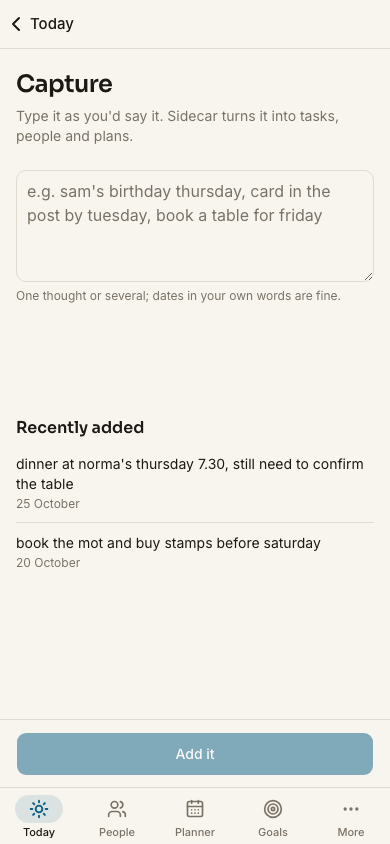
One box takes an errand, a birthday, a booking or a next step in plain words, and it lands in the right part of the app.
Today comes back as one ranked list: what matters now at the top, what is slipping underneath, and a short reason beside each line.
One decided answer rather than a dashboard to interpret. The reason is there if you would rather do something else with your evening.
On Plus, Sidecar reads your Google Calendar and Google Contacts, read-only, and the privacy screen names every place your data goes.
What it will do
For what it covers, see the pages this site publishes.
Today opens as one ranked list, headed by the single thing to do now, with what is slipping below it. Every line carries its reason underneath.
Type an errand, a birthday, a booking or a next step the way you would say it, and it lands as a task, a dated item or a goal step.
Birthdays, cards still to send, gift notes, and a flag on anyone you have not been in touch with for a while, all in one list.
Jobs with a date sit beside the ones that just need doing sometime, so nothing has to be given a made-up deadline to be held.
Appointments, tables and trips, every one carrying where it stands, so what is actually booked and what is still an intention are told apart.
Each goal breaks into steps you can see. Anything with no date yet waits on the someday list instead of crowding today.
On Plus, Sidecar reads your Google Calendar and Google Contacts, so it starts from the dates you have. Read-only, so it never writes to them.
Leave your email and you will hear when Sidecar opens to its first UK testers. One message when there is something real to see, nothing else.
One email when it launches, and one now to confirm your address. Unsubscribe any time. Privacy.